

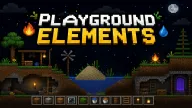
Playground Elements gives you a canvas for creative freedom. Draw directly onto the screen and transform an empty space into a forest in your own unique style. Play now and start building!
Playground Elements: Draw Your Own World
Choose Your Setting And Elements
Start with a blank canvas, then select the elements you want to add to the scene. Trees, rock, snow, water, or lava—anything can become part of the world you are building.
Freely Shape The Terrain
Draw and place elements directly on the screen. Create dense forests, expand beaches, blanket the land in snow, or craft volcanic landscapes with striking lava flows.
Adjust Your Creation
If you place something incorrectly or want to change the layout, use the erase mode to remove unwanted elements. You can also adjust the brush size to cover large areas or fine-tune small details.
Key Features
- Build a world from scratch
- Diverse element categories for terrain creation
- Freely combine forests, snow, volcanoes, and seas
- Flexible brush size adjustment
Controls
- Left-click: Draw and place elements.
- Right-click: Erase elements.
- Mouse wheel: Increase or decrease brush size.
- Selection button: Choose the element type you want to use.
- Erase mode: Remove placed elements.
FAQs
Does Playground Elements have a specific objective?
The game focuses on creativity rather than completing tasks in a specific order.
Can I create multiple types of environments in a single scene?
Yes. You can combine various elements to create a unique world.
How do I correct an area that was drawn incorrectly?
Simply use the right mouse button or switch to erase mode to remove the unwanted section.

